Online self-learning courses offer autonomy, allowing individuals to learn at their own pace. They provide structured training materials with review exercises to enhance understanding. Utilizing multimedia resources like videos and presentations, learners actively engage with the content. while flexibility enables customization of study schedules. This fosters an environment conducive to effective learning and skill development, accommodating personal commitments.
Microsoft Copilot Studio with AI Agents Course Details
Discover how AI agents may transform company processes with Microsoft Copilot Studio with AI Agents Online Training. Gain valuable and much-desired skills in areas such as designing AI agents, generative AI, chatbots, knowledge integration, and integration into various business systems. Find out how corporations utilize AI agents to increase the efficiency of their customer service, processes, and employee productivity.
Subjects covered by Microsoft Copilot Studio Online Training include agent building, topics, entities, variables, conversation flow, generative responses, and knowledge integration. Learners will have a chance to tie agents to the corresponding data sources and configure their responses in the practical scenarios of business. In addition, students will be able to comprehend the use of connections, automation, authentication, testing, troubleshooting, and deploying agents in Microsoft Power Automate.
Microsoft Copilot Studio Certification Training helps learners build their understanding of AI agents, conversational AI, automation, and Microsoft Power Platform products and get ready for the right certifications when applicable.
Requirements for Microsoft certifications and exams are subject to change; therefore, learners are recommended to find out about their current eligibility and certifications through the official certification site from Microsoft. Demonstrating technical expertise, adding credibility to one’s professional profile, and facilitating career progression.
This tool is specifically designed in order to fulfill the requirements of IT professionals, software developers, business analysts, automation professionals, consultants, and even novices who wish to build applications based on artificial intelligence. Professional trainers will provide training to the learners with the help of practical examples pertaining to the field. The learners will engage themselves in tasks such as configuring an agent, integrating the process, testing, debugging, and deploying the agent.
The acquisition of skills associated with Microsoft Copilot Studio Training can help in the development of career paths associated with AI agent development, conversational AI, workflow automation, and Power Platform. Opportunities available will depend on experience and technical knowledge of individuals, as well as the employer's needs. Learners who create projects and learn about AI-based automation can establish a basis for learning.
Eager to create AI agents using Microsoft Copilot Studio? Acquire the necessary skills related to generative AI, chatbots, and workflow automation using expert-led courses. Ask now for course costs, batch timings, and live classes to begin your training!
Salary Trends:
Salary reports from Indeed and ZipRecruiter indicate that Microsoft Copilot Studio-related professionals can earn approximately 5 to15 LPA in India and $85,000 up to $120,000 annually in the US, depending on experience, AI automation skills, and project expertise.
Want To Learn More?
Microsoft Copilot Studio with AI Agents Curriculum
Introduction to Microsoft Copilot Studio and Power Platform.
Generative AI and Agentic AI fundamentals.
Copilot Studio architecture and components.
AI agents and generative orchestration.
Enterprise AI applications and use cases.
Environment setup and configuration.
Creating agents from scratch and templates.
Configuring agent instructions and behavior.
Working with topics and trigger phrases.
Managing variables and entities.
Testing and publishing agents.
Generative AI and LLM fundamentals.
Classic and generative orchestration.
Designing effective agent instructions.
Prompt engineering and optimization.
Managing conversation context and memory.
Improving response accuracy and reliability.
Understanding knowledge sources and RAG.
Connecting SharePoint and websites.
Uploading documents and files.
Integrating Dataverse knowledge.
Configuring generative answers.
Grounding responses in enterprise data.
Testing retrieval accuracy and relevance.
Creating and managing custom topics.
Configuring conversation triggers.
Working with Question and Message nodes.
Conditions, variables, and branching.
Creating agent actions.
Generative orchestration and activity maps.
Managing multi-turn conversations.
Error handling and fallback responses.
Integrating Power Automate cloud flows.
Creating Agent Flows.
Connecting REST APIs and custom connectors.
MCP tools and integrations.
Configuring authentication and credentials.
Integrating Microsoft 365 services.
Automating approvals and business workflows.
Advanced generative orchestration.
Configuring tools and knowledge sources.
Creating connected and child agents.
Multi-agent coordination and delegation.
Event-triggered autonomous agents.
Agent-to-Agent communication concepts.
Managing agent context and memory.
Building enterprise automation solutions.
Introduction to Microsoft Dataverse.
Creating tables and relationships.
Performing CRUD operations.
Connecting agents to Dataverse.
Integrating Power Apps and Dynamics 365.
Managing data access and permissions.
Dataverse business events and automation.
Microsoft Entra ID authentication.
Security roles and permissions.
Data Loss Prevention policies.
Responsible AI and governance.
Testing and debugging agents.
Evaluating agent responses and quality.
Conversation analytics and performance monitoring.
Application Lifecycle Management (ALM).
Publishing agents to Microsoft Teams, SharePoint, and websites.
Managing development, testing, and production environments.
Microsoft Copilot Studio with AI Agents Certification
The GoLogica certification is widely acknowledged, enhancing the credibility of your resume and opening doors to high-level positions in leading multinational corporations globally.
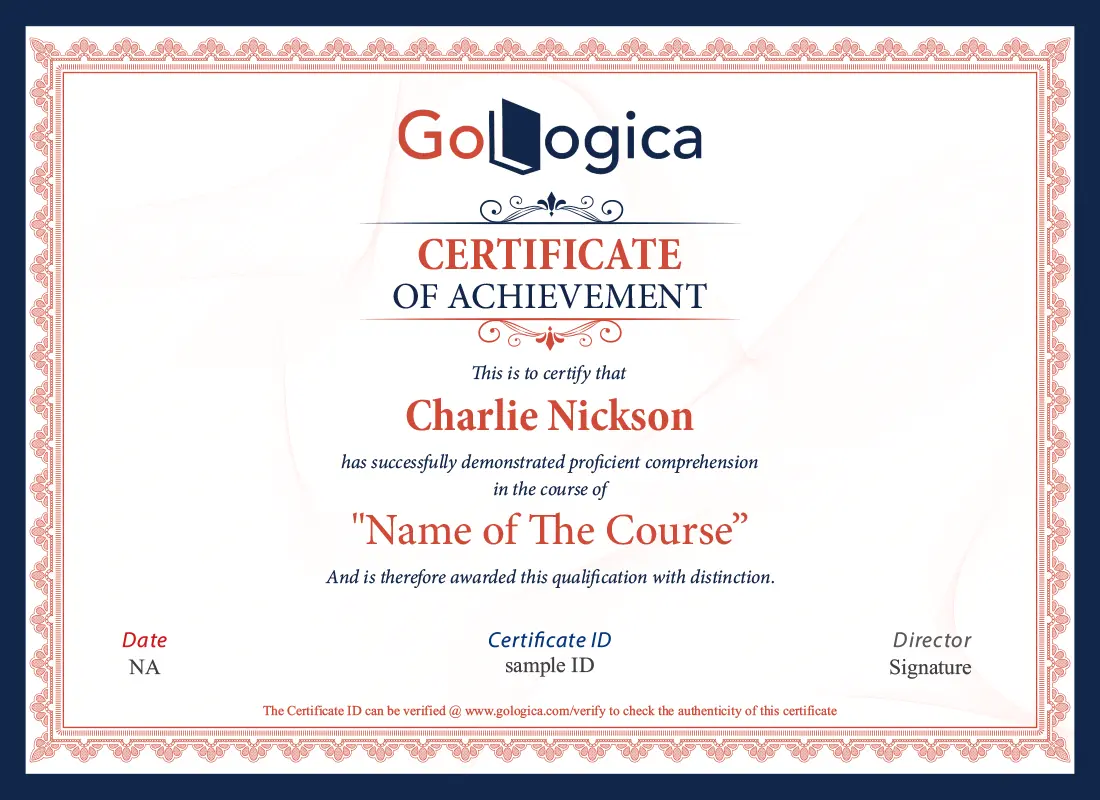
At the end of this course, you will receive a course completion certificate which certifies that you have successfully completed GoLogica training in Microsoft Copilot Studio with AI Agents technology.
You will get certified in Microsoft Copilot Studio with AI Agents by clearing the online examination with a minimum score of 70%.
Get Certification
Microsoft Copilot Studio with AI Agents Objectives
Microsoft Copilot Studio is a low-code platform that helps organizations build AI-powered assistants or agents that help them answer questions and perform automated actions.
Creating agents, generative AI, knowledge bases, conversational flow, topic management, connectors, analytics, and Microsoft business application integration are some of the features of this platform.
Not necessarily. However, you can use this platform to build your own agents through its visual interface. Advanced development requires knowledge of APIs, data sources, and programming.
An AI agent is a digital assistant that is designed to comprehend the user's instructions, fetch relevant information, and execute tasks based on predefined instructions, knowledge bases, and connected tools.
An AI agent is intelligent software that comprehends user instructions, collects relevant information, and executes actions based on these instructions.
Topics are the specification of an agent's response to certain requests. They may contain trigger words, conversational nodes, conditions, questions, and actions.
Entities are used to identify information in user messages, and variables are used to hold values that are gathered during a conversation and can be used in the next steps in the conversation.
Generative answers enable an agent to build an answer from related knowledge sources, instead of having to build an answer for each question.
Agents have access to SharePoint and websites, enterprise documents, enterprise Dataverse, and other enterprise data sources depending on the integrations supported and configuration.
Yes. Authenticating and configuring agents within the external systems to which they are connected, supported connectors, APIs, and custom integrations can connect agents to external systems.
Workflows that can send notifications, update records, obtain approvals, and carry out other business operations are made possible by Power Automate connections.
Yes, the agents can be published to Microsoft Teams, depending on the license and organisation's policy.
It is a business data management system that enables you to store and manage the data needed to support a solution that requires business data or needs to be delivered with Microsoft business applications.
They enable agents to act upon information by using tools, connectors, or workflows in place of just text-based answers.
Generative orchestration is a technique that can assist in choosing the most pertinent themes, tools, and actions to solve the user's inquiry, whereas topics are a way to establish distinct conversation areas.
Custom connectors are one of the supported techniques for connecting custom APIs. Developers set up permissions, inputs, outputs, and authentication.
Important concepts include authentication, role-based access, environment permissions, data loss prevention policies, connector governance, and sensitive data protection.
Sure. Agents can leverage company documentation to give pertinent answers and assist staff in finding information when supporting knowledge sources are linked and set up properly.
Analytics, conversation testing, and monitoring can help developers evaluate the usage, quality of responses, results of conversations, and the spheres that need to be improved.
Beginners can develop an HR helpdesk assistant agent, an IT troubleshooting agent, an employee policy assistant, a customer FAQ bot, or a workflow automation project.
The classes for certification will give you all the necessary information and skills to develop AI agents and automate business processes with its help. You are advised to visit the Microsoft website and check the updated certification list to choose the one suitable for your learning goals.
Since Microsoft is constantly updating its list of certifications, it is advisable to visit the Microsoft Credentials website to learn more about the certifications offered by Microsoft for Copilot Studio, Power Platform, and AI.
Information regarding the platform, its features and abilities, agents, knowledge sources, conversations, actions, and connections will enable one to understand how to solve issues using this technology. Moreover, it is necessary to obtain the ability to create different bots and acquire all skills that are necessary for the certification exam.
Most of the learning materials are free of prerequisites for certification, yet some certifications require some level of experience with Power Platform, Power App, or business process technologies.
No, the training course will just allow you to prepare for the certification exam, but you will also need to pass the selected credential assessment to become certified.
The certificate of completion is a document that proves that you have completed a specific course, but the Microsoft Certification is the official proof that you have passed the required exam for a particular technology.
Skills to be certified would include agent configuration, prompt writing and generative AI, knowledge integration capabilities, Power Automate, APIs understanding, security, troubleshooting, and responsible AI.
The job roles include AI automation developer, Power Platform developer, conversational AI developer, business process automation expert, and AI solutions consultant. The roles’ requirements differ depending on the company and prior experience.
It depends on the experience, time, and complexity of the project. It takes some time to understand the basics of agents, and then one proceeds to build integrated solutions or automate processes with various tools, including Power Automate.
One should start by learning the interface, building an agent, connecting a knowledge base, configuring topics and actions, connecting a workflow, and testing the outcomes. Additionally, one can seek training to gain more practical experience.
Why GoLogica?
10+
Years of Experience
250+
Corporate Clients
750+
Courses
50K+
Careers Transformed
Yes, it is Possible. GoLogica provides a fast-track Classes so you can complete a training within a few days or a week and get a certification.
To attend online training, you'll typically need a stable internet connection, a compatible device (laptop, tablet, or smartphone), and a suitable web browser or training software.
Check your training platform's storage or cloud (drive) for saved video recordings.
Discounts may vary; inquire directly for specific offers.
Visit GoLogica website, locate the 'Certificates' section, follow the instructions to verify your course completion by completing the exam and Get more than 70% marks. And download your certificate.
I'll guide you through the certification process step-by-step, ensuring you're well-prepared and confident in your subject matter by clearing an exam.
Yes, we help you on a Craft a compelling resume by highlighting your skills, experiences, and achievements in a clear, concise, and well-structured format.
Yes, we do placement assistance after completing a training and clearing eligibility test.
Our mock interviews process involves practice sessions, feedback, and role-playing to enhance candidates' communication skills and confidence in a concise, single-line summary:
"Practice + Feedback = Confident Interview Readiness."
The refund policy terms and conditions may vary; please refer to the specific seller or provider for details. Go to Refund Policy »
Yes, discuss payment terms with the Seles team and Get a potential instalment options.
Yes, you will find EMI options for fee payment.
Get in Touch to our team by filling a required details.
GoLogica certification holds value for those seeking to learn and validate their skills in Logic Apps all over the world.
Yes, GoLogica offers opportunities to work on live projects, enhancing your practical skills and experience.
Our trainers are highly experienced in respective Field and implementing real-time solutions on different Scenarios and Expert in their professionals.
We record each LIVE class session you undergo through this training and recordings of each session class will be updated in your Cloud.
Yes, access online course materials through learning platforms or the institutions or a GoLogica website.
GoLogica have a 10+ year’s good track record in the training market. However, it was founded in 2013.
Yes, we help you on a Craft a compelling resume by highlighting your skills, experiences, and achievements in a clear, concise, and well-structured format.
Self-paced training allows learners to study at their own speed, while Live Online training offers real-time, interactive sessions with an instructor.
Self-paced learning offers flexibility, personalized progress, and the ability to review materials at your own convenience.
Live online training offers real-time interaction, immediate feedback, and networking opportunities, which self-paced learning lacks.
Yes, GoLogica allows you to transition from self-paced to instructor-led training as per your preference T&C apply.
Yes, customize GoLogica curriculum as per your needs. Our Goal is to satisfy and give an enough knowledge to students.
Timetable flexibility depends on the institution and availability; inquire for options.
Yes, depending on program flexibility. Communicate with the organizers for options.
Consult your training contract for withdrawal terms, prioritizing mutual understanding.
Yes, we offer a Demo Session to confirm your enrolment session details for live training.
Yes, the trainer will help you with your queries during the training and as well as in discussion class.
Practice consistently, apply learned skills in real-life scenarios, and seek feedback for improvement.
Yes, we can provide trained resources for hire upon request.
Self-paced videos can be classified into beginner, intermediate, advanced, and expert levels.
Yes, we can consider extending access for pre-recorded sessions.
Yes, customizable live training allows for scheduling flexibility and tailored curriculum.
Yes, we conduct assessments and also some mock test for better understanding along with discussion call.
Yes, we offer a certification and it is highly valuable in market
Yes, you can but just Inquire about extension options post-training.
Yes, post-training consultations can be arranged upon request.
Our trainers are highly experienced in on specific subject matter to teach and uses by real-time solutions on different Scenarios and Expert in their professionals.
You can access the recording of the missed class through our LMS. We record each training session and upload it after the session to our LMS which can be accessible to the students.
You can clarify your queries by dialling +91 - 82 9696 0414, +1 (646) 586 - 2969 Or you can send a mail to info@gologica.com. We are ready to clear your enquiries at any time
Microsoft Copilot Studio with AI Agents rated
(5.0 / 5) based on 3 reviews.
Neha Gupta
Learning how to connect Copilot Studio with Power Automate was one of the most useful parts of the course. I understood how different business tasks could be automated through these integrations.
Kavya Reddy
I wanted to add Microsoft AI technologies to my existing technical skill set. Completing this course gave me a better understanding of Copilot Studio and added useful knowledge to my professional profile.
Aditya
The course covered many topics I had been interested in exploring for a while. I was happy with the overall learning experience and the knowledge I gained about Copilot Studio.