The Microsoft Power BI Training helps you acquire practical knowledge on Microsoft Power BI to convert raw data to actionable insights. Learn Power Query, Data Analysis Expression (DAX), dashboards construction, data modeling, and report sharing. With the help of this Power BI Training, you will develop analytical skills for business intelligence and decision-making in real-time.
Online self-learning courses offer autonomy, allowing individuals to learn at their own pace. They provide structured training materials with review exercises to enhance understanding. Utilizing multimedia resources like videos and presentations, learners actively engage with the content. while flexibility enables customization of study schedules. This fosters an environment conducive to effective learning and skill development, accommodating personal commitments.
Microsoft Power BI Training provided by GoLogica in Gurgaon is an extensive program that teaches you how to master the art of data visualization and business intelligence. Power BI is one of the most sought-after tools for converting raw data into actionable insights, which is necessary for data analysts, business professionals, and IT specialists to learn.
The Power BI online course covers all the basic and advanced information on data modeling and visualization, advanced analytics and DAX. You will learn how to integrate power BI with various sources of data, how to convert and clean data using Power Query and how to develop attractive reports and dashboards that can give profound insights about business.
The training also includes key topics such as Power BI Desktop, Power BI Service, and Power BI Mobile. You will learn how to publish and share dashboards safely in your organization and work efficiently using the cloud service of Power BI. You can get practical experience to manage end-to-end business intelligence workflows with hands-on labs and real-time projects.
The course also presents you with the next level capabilities of Power BI, such as AI-based analytics, custom visualization, and integration with other Microsoft applications, such as Excel, Azure, and SQL Server. These skills help you meet the current trends in the industry and help you to be ready with the Power BI certification exam.
GoLogica also offers Microsoft Power BI Online Training, which is conducted by industry experts who will take you through each of the concepts with the help of real-life case studies. Regardless of whether you are a fresher in data analytics or an experienced data analyst looking to improve your business intelligence proficiency or prepare for Microsoft Power BI Certification, this training offers a strong background to succeed in the data-driven world.
Start your career in data analytics and data visualization and take the next step to become a certified Power BI expert by enrolling in the Microsoft Power BI Training offered by GoLogica in Gurgaon.
Salary Trends:
According to ZipRecruiter, The average salary of a Microsoft Power BI professional typically ranges from $119k to $135k PA. It’s depending on factors such as experience, location, and specific job responsibilities.
Want To Learn More?
Microsoft Power BI Curriculum
Introduction to Power BI and Excel
Relationship between Excel &Power BI
Understanding Excel BI add
Why power BI
Downloading and installing Power BI
Power BI Desktop & Power BI Services
Building blocks of Power BI
Different external data source
Fetching data from different files
Working with import and direct query
Creating custom table in the Power BI
Merge Queries and Append Queries
Remove columns and split columns
Choosing required columns in the data
Working with different transformations
Applied steps in query editor
Working with hierarchies and measures
Pivot & Unpivot columns
Creating index and custom columns
Group By functionality in Query Editor
Creating and Working with groups
Managing the null values and errors
Data types in Query editor
Working with dynamic parameters.
Dynamic parameters to filter
Working with DAX Functions
Calculated Measures by using DAX
Parameters with DAX
Dynamic Report Filters
Expressions
Connecting to Data sources
Working with different visualizations
Table and matrix visuals
Different level of filters
Importing custom visualizations
Data Visualizations with Power BI
Single row & multi row cards
Defining relationships between tables
Creating a custom table with range
Publishing a report to Power BI Services
Working with Power BI Views
Data Hierarchies and reference lines
Power pivot data model
Data modeling
In-built slicers and custom slicers
Developing KPIs and Measures
Data from multiple Data Sources
Reports from various data sets
Dashboards from multiple reports
Working with MY WORK SPACE group and all visualizations
Creating Groups & Working
Managing Gateways & Content Packs
Adding tiles and YouTube videos
Images to the Dash Boards
Using natural language Q&A to data
Reading & Editing Power BI Views
Managing report in Power BI Services
Scheduling refresh to the Datasets
Share dashboards to Client
The GoLogica certification is widely acknowledged, enhancing the credibility of your resume and opening doors to high-level positions in leading multinational corporations globally.
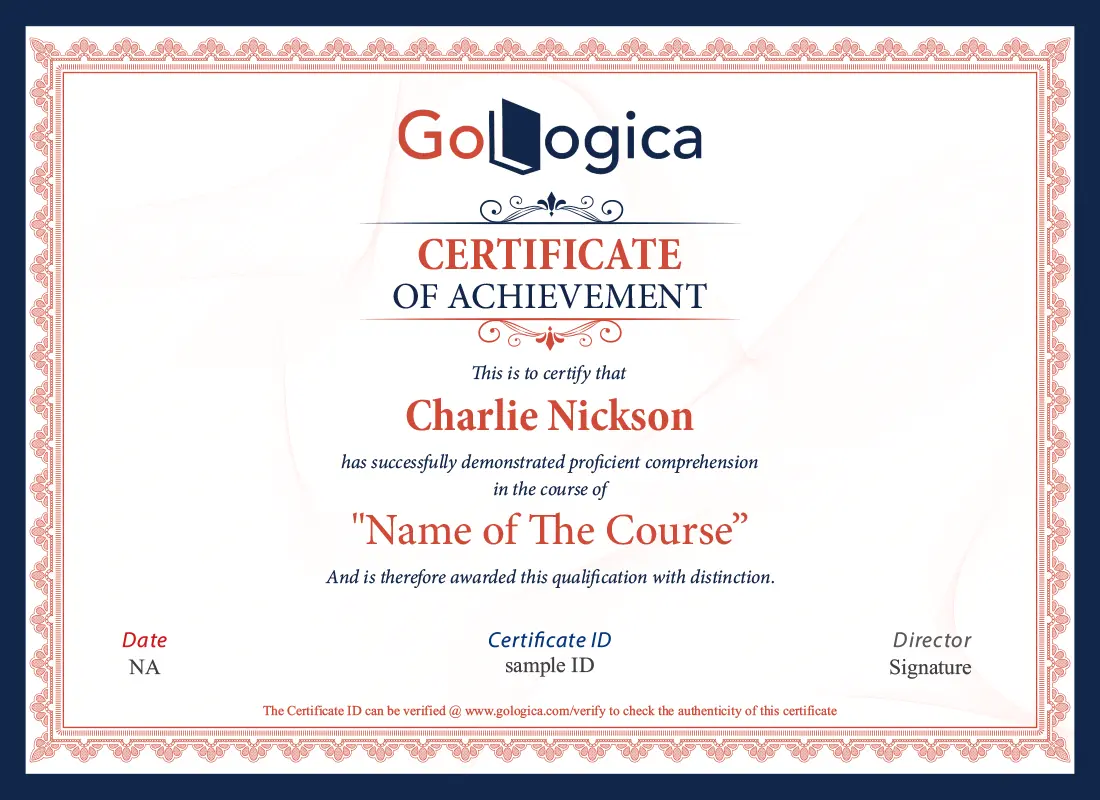
At the end of this course, you will receive a course completion certificate which certifies that you have successfully completed GoLogica training in Microsoft Power BI technology.
You will get certified in Microsoft Power BI by clearing the online examination with a minimum score of 70%.
Get Certification
Microsoft Power BI Objectives
In Microsoft Power BI Training, you will learn to navigate the Power BI interface, create interactive visualizations and reports, import and transform data from various sources, implement advanced analytics using DAX, design and customize dashboards, collaborate and share insights, utilize Power BI service, integrate with other Microsoft tools, and prepare for certification exams.
The Microsoft Power BI Training Course is ideal for data analysts, business intelligence professionals, data scientists, decision-makers, and anyone seeking to leverage data for insights and analytics in their organization.
You should pursue Microsoft Power BI Training to gain expertise in data visualization, analytics, and reporting, enabling you to create compelling dashboards, derive insights from data, make informed decisions, and enhance your career prospects in analytics and business intelligence roles.
Prerequisites for taking a Microsoft Power BI Training Course typically include basic understanding of data analysis concepts, familiarity with Excel and other data visualization tools, and knowledge of database fundamentals. Basic understanding of business intelligence concepts is also beneficial.
Yes, Microsoft Power BI is a successful choice for a career. With its widespread adoption across industries and its powerful capabilities in data visualization, analytics, and reporting, expertise in Power BI can lead to rewarding career opportunities in business intelligence, data analysis, and decision-making roles.
Microsoft Power BI can be relatively easy to learn compared to some other business intelligence tools, especially for users familiar with Microsoft Excel or similar data visualization software. Its intuitive interface and extensive online resources also contribute to its learnability.
Key features of Microsoft Power BI include data connectivity, data transformation, data visualization, dashboards, Power Query, DAX, natural language processing, sharing and collaboration, mobile apps, data security, AI integration, custom visuals, embedded analytics, and enterprise governance.
The major benefits of Microsoft Power BI certification online for professionals include enhanced career opportunities, industry recognition, increased productivity, and competitive edge, and expanded skillset, higher earning potential, professional development, access to resources, career growth, and contribution to organizational success.
Why GoLogica?
10+
Years of Experience
250+
Corporate Clients
750+
Courses
50K+
Careers Transformed
Yes, it is Possible. GoLogica provides a fast-track Classes so you can complete a training within a few days or a week and get a certification.
To attend online training, you'll typically need a stable internet connection, a compatible device (laptop, tablet, or smartphone), and a suitable web browser or training software.
Check your training platform's storage or cloud (drive) for saved video recordings.
Discounts may vary; inquire directly for specific offers.
Visit GoLogica website, locate the 'Certificates' section, follow the instructions to verify your course completion by completing the exam and Get more than 70% marks. And download your certificate.
I'll guide you through the certification process step-by-step, ensuring you're well-prepared and confident in your subject matter by clearing an exam.
Yes, we help you on a Craft a compelling resume by highlighting your skills, experiences, and achievements in a clear, concise, and well-structured format.
Yes, we do placement assistance after completing a training and clearing eligibility test.
Our mock interviews process involves practice sessions, feedback, and role-playing to enhance candidates' communication skills and confidence in a concise, single-line summary:
"Practice + Feedback = Confident Interview Readiness."
The refund policy terms and conditions may vary; please refer to the specific seller or provider for details. Go to Refund Policy »
Yes, discuss payment terms with the Seles team and Get a potential instalment options.
Yes, you will find EMI options for fee payment.
Get in Touch to our team by filling a required details.
GoLogica certification holds value for those seeking to learn and validate their skills in Logic Apps all over the world.
Yes, GoLogica offers opportunities to work on live projects, enhancing your practical skills and experience.
Our trainers are highly experienced in respective Field and implementing real-time solutions on different Scenarios and Expert in their professionals.
We record each LIVE class session you undergo through this training and recordings of each session class will be updated in your Cloud.
Yes, access online course materials through learning platforms or the institutions or a GoLogica website.
GoLogica have a 10+ year’s good track record in the training market. However, it was founded in 2013.
Yes, we help you on a Craft a compelling resume by highlighting your skills, experiences, and achievements in a clear, concise, and well-structured format.
Self-paced training allows learners to study at their own speed, while Live Online training offers real-time, interactive sessions with an instructor.
Self-paced learning offers flexibility, personalized progress, and the ability to review materials at your own convenience.
Live online training offers real-time interaction, immediate feedback, and networking opportunities, which self-paced learning lacks.
Yes, GoLogica allows you to transition from self-paced to instructor-led training as per your preference T&C apply.
Yes, customize GoLogica curriculum as per your needs. Our Goal is to satisfy and give an enough knowledge to students.
Timetable flexibility depends on the institution and availability; inquire for options.
Yes, depending on program flexibility. Communicate with the organizers for options.
Consult your training contract for withdrawal terms, prioritizing mutual understanding.
Yes, we offer a Demo Session to confirm your enrolment session details for live training.
Yes, the trainer will help you with your queries during the training and as well as in discussion class.
Practice consistently, apply learned skills in real-life scenarios, and seek feedback for improvement.
Yes, we can provide trained resources for hire upon request.
Self-paced videos can be classified into beginner, intermediate, advanced, and expert levels.
Yes, we can consider extending access for pre-recorded sessions.
Yes, customizable live training allows for scheduling flexibility and tailored curriculum.
Yes, we conduct assessments and also some mock test for better understanding along with discussion call.
Yes, we offer a certification and it is highly valuable in market
Yes, you can but just Inquire about extension options post-training.
Yes, post-training consultations can be arranged upon request.
Our trainers are highly experienced in on specific subject matter to teach and uses by real-time solutions on different Scenarios and Expert in their professionals.
You can access the recording of the missed class through our LMS. We record each training session and upload it after the session to our LMS which can be accessible to the students.
You can clarify your queries by dialling +91 - 82 9696 0414, +1 (646) 586 - 2969 Or you can send a mail to info@gologica.com. We are ready to clear your enquiries at any time